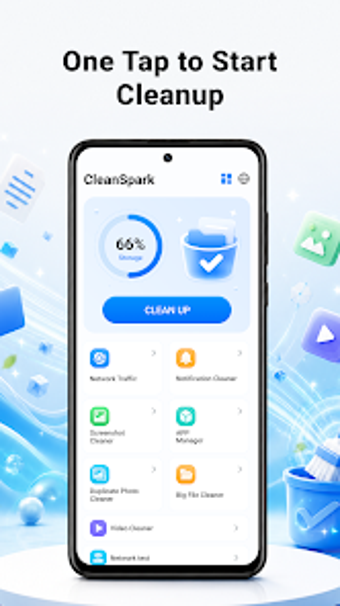
CleanSpark Junk Cleaner: Android storage cleanup with speaker care
CleanSpark Junk Cleaner, from K Fast Pitch, targets Android storage bloat and everyday device upkeep across phones with limited free space. The app scans for temporary and leftover installation files and exposes removable items in a simplified workflow to free disk space. It also provides file-management helpers, battery status readouts, and a speaker-cleaning utility that uses sound vibrations. Ideal for users seeing low storage warnings who want straightforward maintenance.
How the cleanup engine identifies reclaimable storage
The tool performs a scan that locates temporary files, residual installation packages, and other leftover data, then presents deletable items as choices the user can accept. Results are sortable by size so the user can focus on the largest space consumers. One-tap removal clears selected items in batch, while selectable lists let the user exclude files before deletion to reduce accidental removals.
What the app's footprint and requirements imply for older devices
The installer is roughly 26 MB, and the app targets devices running Android 8.1 or later, which points to a small installation footprint suitable for phones with limited storage. The product notes a growing download trend and several hundred installations in early availability. The listing does not publish measured CPU or RAM figures for scans, so users with older hardware should observe runtime impact during an initial run.
How it handles potentially risky operations and physical maintenance
The app can remove files and uninstall applications through its management interface, so reviewing the deletion list before confirming is important because no automatic backup step is documented. A distinct maintenance feature uses audio frequencies and vibration to try to dislodge speaker grille debris; this is a physical-cleaning aid rather than a software rollback mechanism. The app is free to use and may display advertisements during operation.
CleanSpark is a pragmatic choice for space recovery with a single caveat
CleanSpark suits Android users who need compact tools to recover storage and tidy device content, especially on devices with limited free space. The lack of a documented automatic backup or restore step before destructive actions means users should verify selections before confirming deletions. For cautious use, run an initial scan during idle hours and inspect results before applying changes. Recommended.